Devonics Automation — Engineering Internship
Haptic Master Arm
A six-degree-of-freedom master arm that teleoperates a Fairino FR3 collaborative robot by feel rather than by joystick. Built over a summer internship at a roughly 20-person robotics firm, working with three graduate-student interns. I designed the custom PCBs and electronics, wrote the haptics firmware, and did part of the mechanical CAD.
Mechanical design
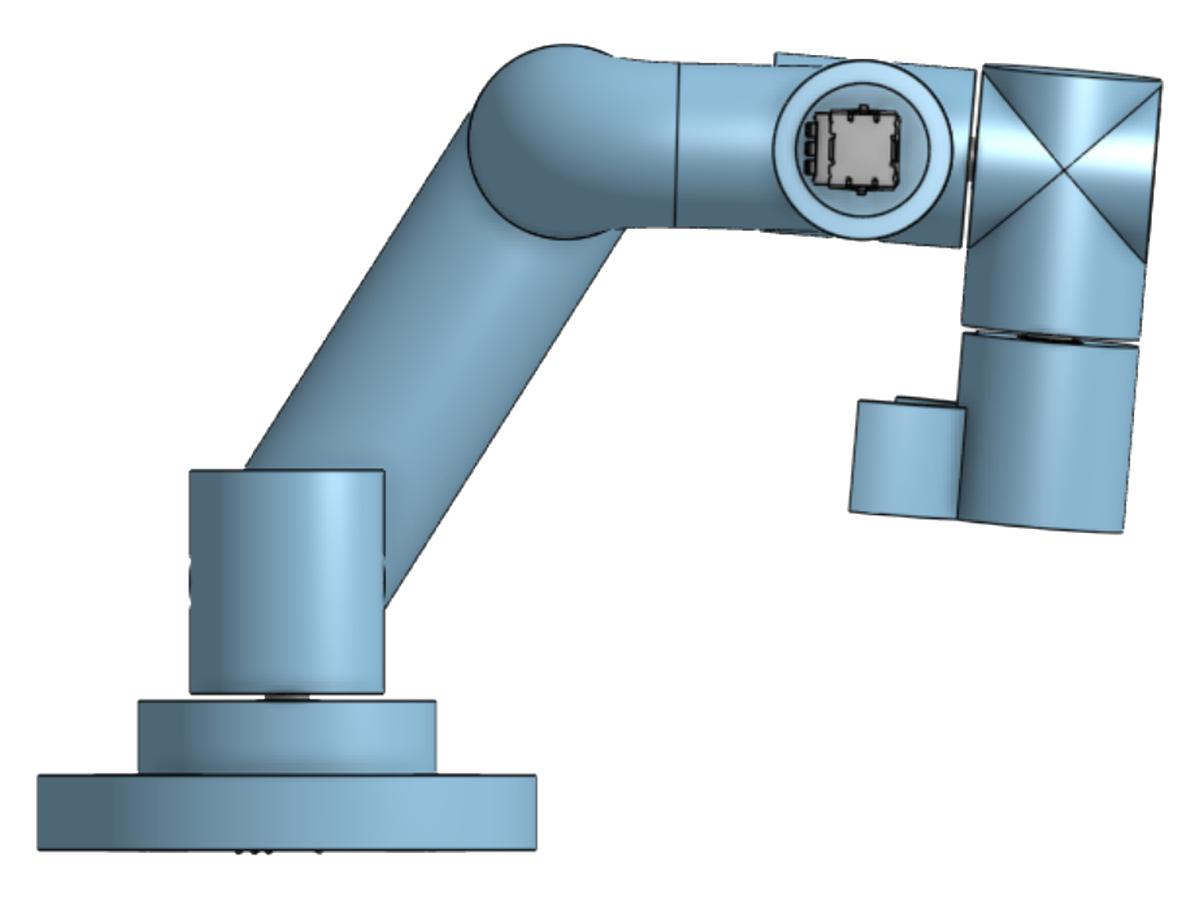
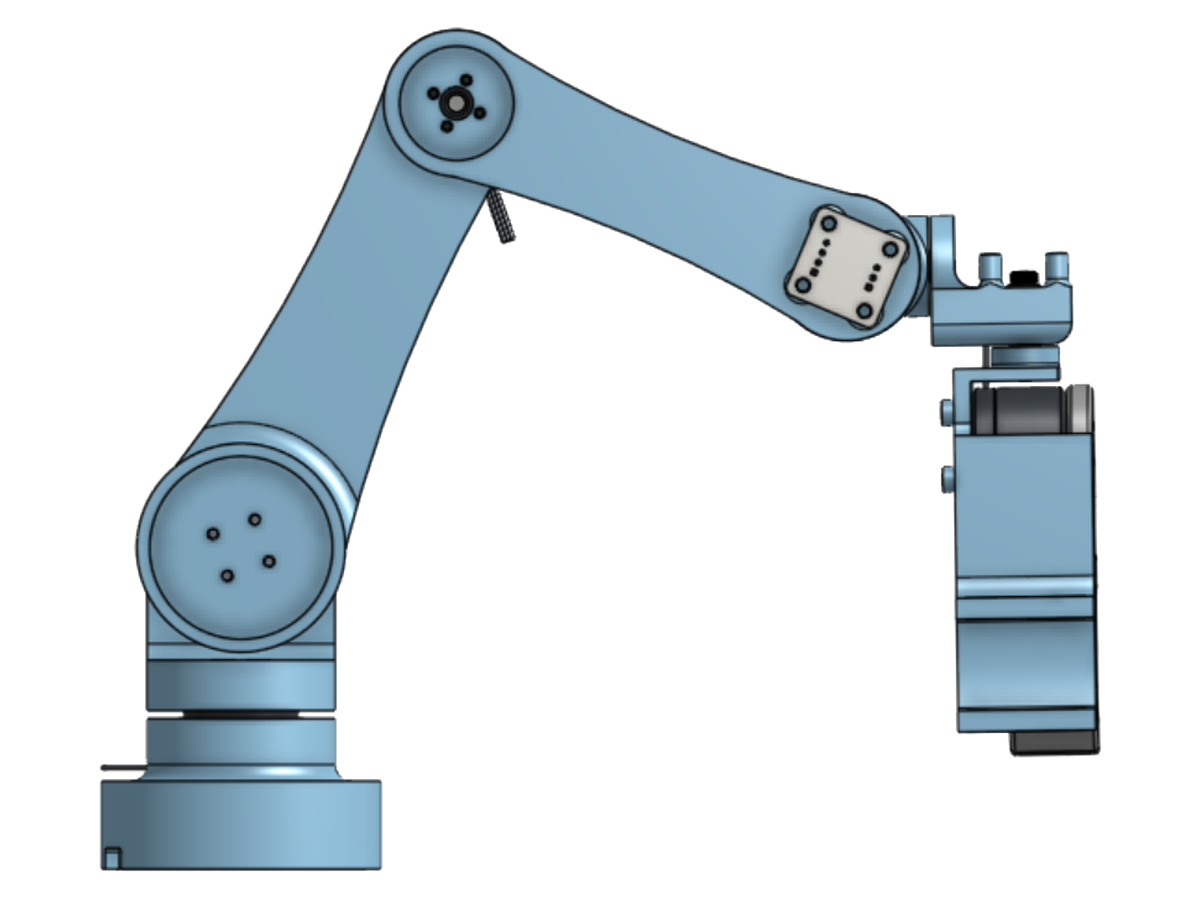
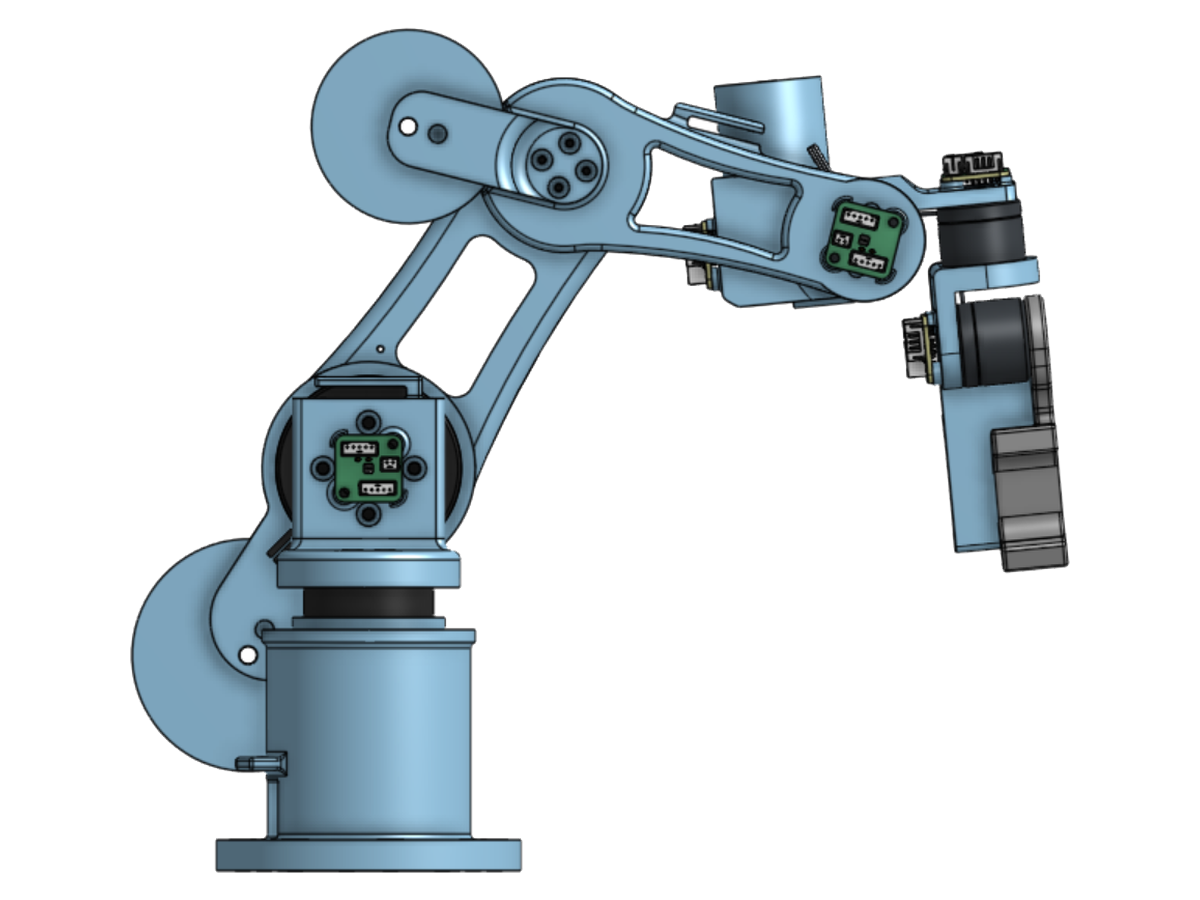
Six joints, each carrying its own brushless motor and magnetic encoder. The constraint that drives the mechanical design is that moving the arm should feel natural and intuitive. This worked best with brushless FOC motors running haptics and gravity compensation.
Three revisions, each one designed and then built and tested. Hover over any clip to play it.
01
02
03
Making it feel smooth
The motors on the master arm do two things: haptics to guide a user's control and gravity compensation to make the arm feel weightless. The haptics mostly involved tuning many PID controllers to enforce joint limits and make the bistable gripper switch. The gravity compensation was much harder.
The hardest part about gravity comp was making the motors physically able to hold the arm. As our master arms got bigger and heavier, the supporting motors had to get exponentially bigger, which we couldn't provide. We solved this by adding steel counterweights to the three joints carrying the most load.
The second hardest part was tuning the compensation gains. You can't just tune one torque vs. angle sine curve for each joint. Many joints are coupled to ones downstream, and they have to account for that. In the end, some joints had as many as 3 significant tuning variables. The relationships are easier for a computer to see, so I made "autotune" firmware that fits the gains from measured hold torques across a sweep of joint angles and tunes itself rather than being dialled in by hand.
The electronics, and what went wrong with them
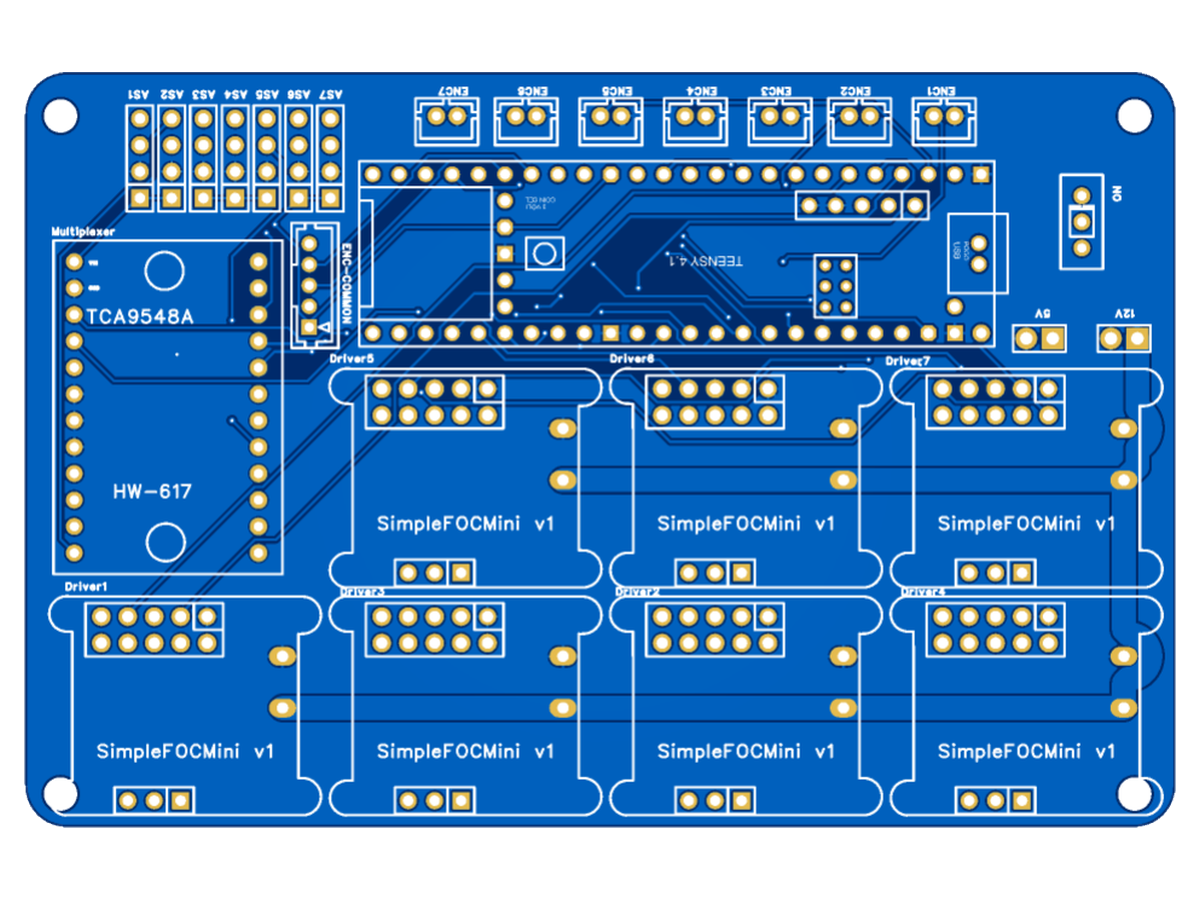
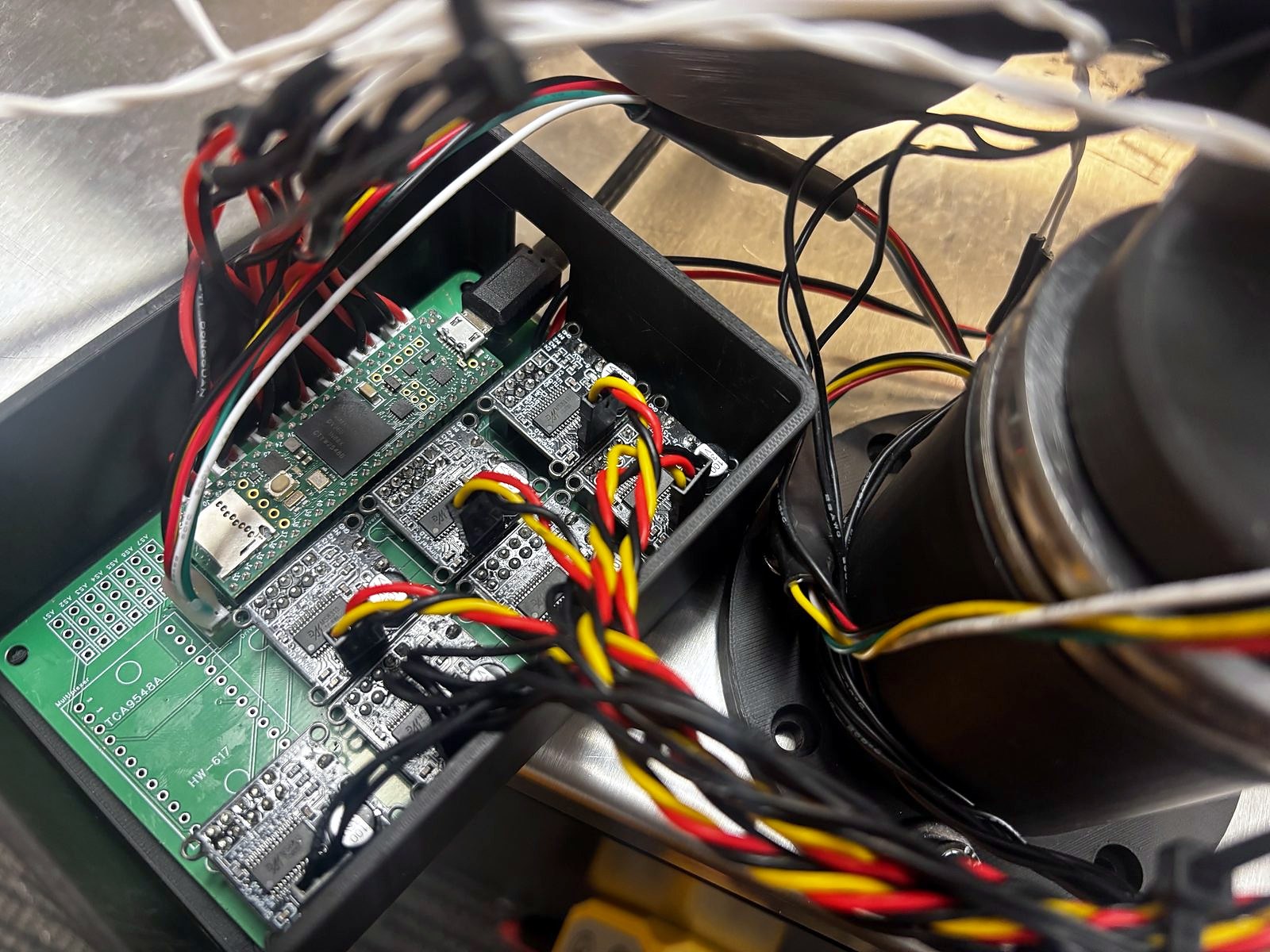
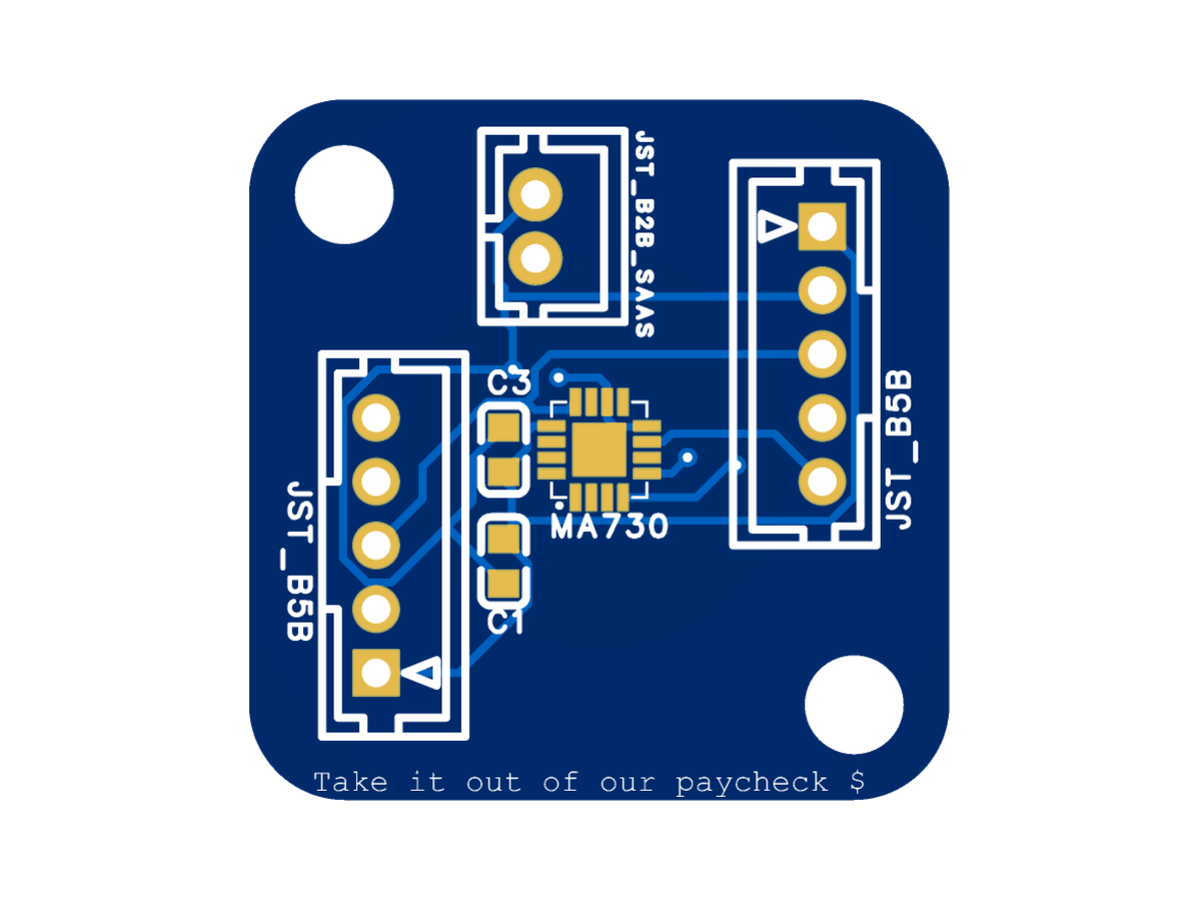
The arm runs on one controller board and seven magnetic encoder boards. The controller board carries a Teensy 4.1, seven SimpleFOCMini driver slots with an encoder channel beside each, a TCA9548A multiplexer as a backup approach using I2C, and separate 5 V and 12 V rails. The seven encoder boards are connected on a JST bus with separate small connectors for each encoder's chip select pin.
Both boards were right the first time. Neither needed a redesign, which means everything below is a bring-up problem rather than a layout mistake.
CONTROLLER
ENCODER
- Motors that didn't fully energise. The encoders read perfectly, but the motors stayed limp, acting as if only two of the three phases were working. The real problem was upstream: the Teensy pins driving the drivers' enable inputs had been damaged and no longer put out a clean 3.3 V, so the drivers were never reliably switched on. Switching out the Teensy board fixed it.
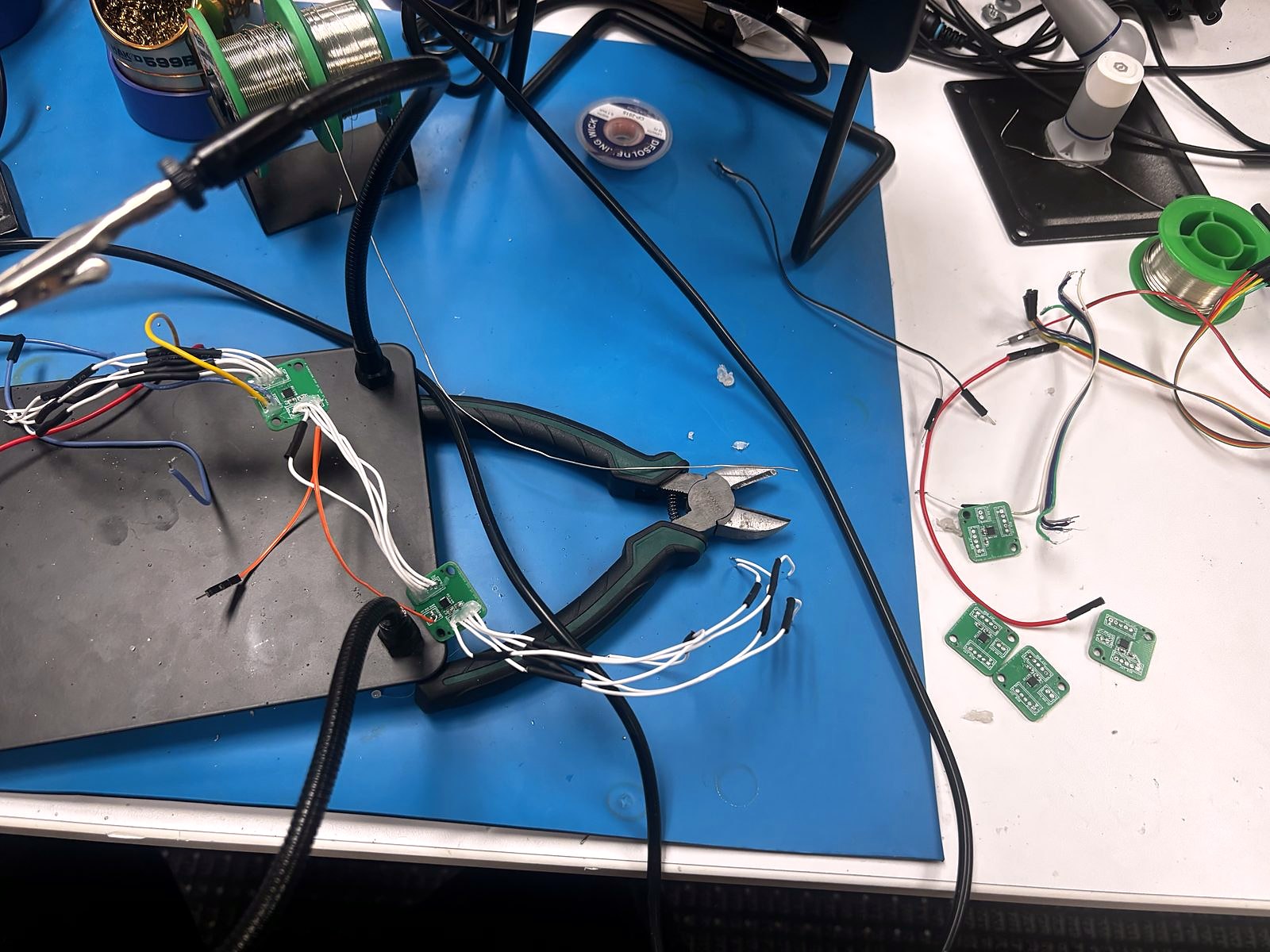
- Shorted Encoder Bus Initially, instead of using JST connectors for the encoder connections, I soldered them directly. This seemed good enough and a tighter form factor, but it was a nightmare to troubleshoot. There was a short on the bus once, and I had to cut a lot of the bus wires to find it. I fixed this by using the JST connectors I actually designed the encoder boards for, and troubleshooting was a joy after that.
- Dead Encoders A couple encoders also gave weird outputs that stretched and compressed the angle readings from what they should have been. This could have been for many reasons, but I think it's because I was hotswapping them so much. I learned my lesson.
Landing burn kinematics, running on a robot arm
A smaller contribution, but the one that was directly inspired by rockets. I wrote part of the FR3's collision avoidance which used a virtual ground plane. The problem is the same one a propulsive-landing rocket has. If you are moving toward a surface you must not hit, you can work backward from your maximum acceleration to find the last point at which you would be able to slow down in time.
This makes controlling near the safety planes safer and easier. The arm is free to move quickly while it is outside the decelleration envelope, and it is the approach speed in relation to the distance that decides when it has to slow down.
Delivered
The internship finished on time with a working demonstration: a web app running the full system, with real-time control of the robot and live tuning of the haptics gains, so the feel of the master arm could be adjusted while somebody was holding it.